
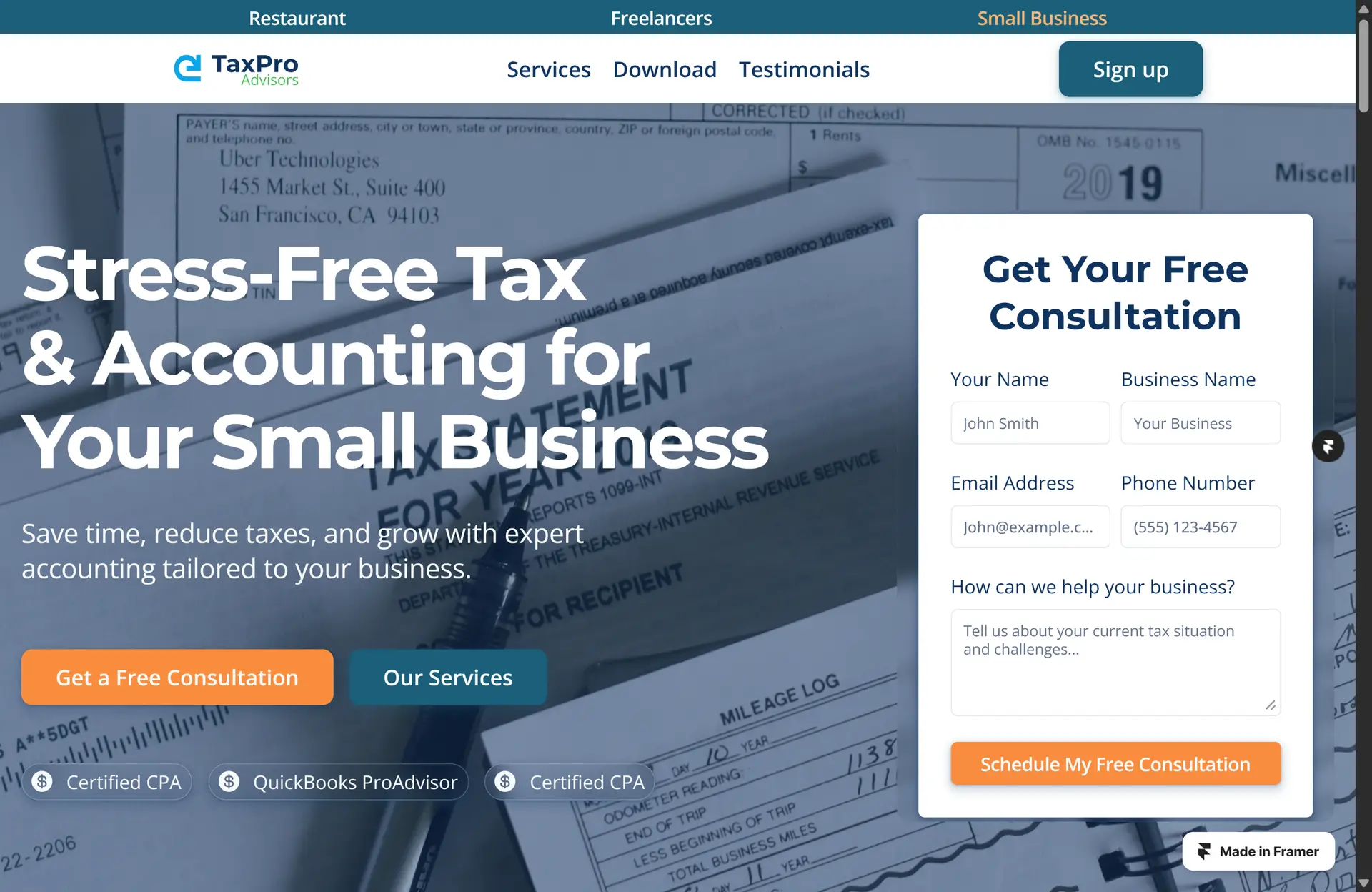
Introduction: The Strategic Shift to Framer
As a website designer in 2026, I’m often asked why I choose Framer over WordPress for my client projects. The question is understandable—WordPress powers over 42% of the web, boasts a massive ecosystem, and has been the default choice for businesses, bloggers, and agencies for nearly two decades. Yet, despite its ubiquity, I’ve made a deliberate, strategic shift to Framer as my platform of choice for modern brands, startups, and ambitious businesses.
This isn’t a decision I made lightly or out of trend-chasing. It’s the result of years of hands-on experience, client feedback, and a deep analysis of what actually drives results in today’s digital landscape. Framer enables me to deliver sites that are not only visually stunning and lightning-fast but also easier to maintain, more flexible for evolving brands, and ultimately more cost-effective over the long term.
In this post, I’ll break down exactly why I build my client sites in Framer—not WordPress—across the dimensions that matter most: performance, design flexibility, ease of use, client handoff, long-term maintenance, and more. If you’re a founder, marketer, or business owner weighing your next website investment, read on to see why Framer is the smarter, future-proof choice.
Framer vs. WordPress: A 2026 Overview
The WordPress Landscape
WordPress remains the world’s most widely used content management system (CMS), powering an estimated 42.6% of all websites as of March 2026. Its open-source nature, vast library of 60,000+ plugins, and 30,000+ themes have made it the go-to for everything from personal blogs to enterprise e-commerce. WordPress’s strengths are clear: flexibility, extensibility, and a global community.
But this scale comes with complexity. WordPress sites require ongoing plugin and theme updates, security monitoring, and regular performance tuning to avoid bloat and vulnerabilities. The platform’s open architecture, while powerful, means that every site is a unique patchwork of third-party code—a reality that introduces risk and maintenance overhead.
The Rise of Framer
Framer, by contrast, is a modern, visual-first website builder that has rapidly gained traction among designers, agencies, and startups. Originally a prototyping tool, Framer has evolved into a full-fledged site builder, combining a Figma-like design interface with production-ready publishing, built-in CMS, and AI-powered workflows. In 2026, Framer is the platform of choice for brands that value speed, design quality, and operational simplicity.
Framer’s core philosophy is “what you design is what you get.” There are no rigid templates, no plugin conflicts, and no need for developer handoff. Instead, designers and marketers can collaborate in real time, iterate quickly, and launch sites that look and perform exactly as envisioned.
Performance: Speed, Core Web Vitals, and Real-World Results
Why Performance Matters
Website speed is no longer a “nice to have”—it’s a business-critical factor for SEO, conversion rates, and user experience. Google’s Core Web Vitals are now a direct ranking factor, and studies consistently show that even a one-second delay in load time can reduce conversions by 7% or more.
Framer’s Performance Advantage
Framer sites are static by default, served from a global CDN with automatic image optimization, HTTP/3, and server-side rendering baked in. This architecture means Framer sites routinely achieve 90+ Lighthouse scores and sub-2-second load times—without the need for caching plugins, CDN configuration, or manual asset optimization.
- Case Study: A recent migration from Next.js to Framer for a marketing site resulted in improved performance, with load times dropping below 2 seconds and PageSpeed scores jumping from the 60s to the high 80s and 90s.
- SEO Impact: Framer’s fast load times and clean code structure directly support higher search rankings and lower bounce rates, especially on mobile devices.
WordPress Performance: The Reality
WordPress performance is highly variable. While it’s possible to achieve fast load times with expert tuning, most WordPress sites suffer from plugin bloat, heavy themes, and suboptimal hosting. The average WordPress site loads in 2.5 seconds on desktop and over 13 seconds on mobile—well above Google’s recommended thresholds.
Achieving top performance in WordPress requires:
- Premium hosting (often $30–$100/month)
- Caching and image optimization plugins
- Manual asset management
- Regular audits to remove unused plugins and scripts
Even then, plugin conflicts and updates can break optimizations overnight, leading to performance regressions.
Core Web Vitals: Framer vs. WordPress
| Metric | Framer (Typical) | WordPress (Typical) |
|---|---|---|
| Largest Contentful Paint (LCP) | <2.5s | 2.5–8s+ |
| Cumulative Layout Shift (CLS) | <0.1 | 0.1–0.3+ |
| Total Blocking Time (TBT) | <150ms | 150–600ms+ |
| Mobile Lighthouse Score | 90–100 | 60–90 |
Framer’s performance is consistent and reliable out of the box. WordPress can match these numbers, but only with expert intervention and ongoing maintenance.
Design Flexibility and Creative Control
Framer: Design Without Limits
Framer’s freeform canvas gives me—and my clients—unmatched creative freedom. Unlike WordPress, which is constrained by themes and page builder structures, Framer lets us design pixel-perfect layouts, custom animations, and interactive experiences without compromise.
- Figma-Like Workflow: Framer’s interface feels instantly familiar to anyone who’s used Figma or Sketch. You can import Figma designs 1:1, tweak layouts visually, and see changes live across breakpoints.
- No-Code Animations: Advanced animations, scroll effects, and micro-interactions are built in—no need for custom JavaScript or third-party libraries.
- Component System: Framer’s reusable components and style tokens enable true design systems, making it easy to maintain consistency and iterate quickly as brands evolve.
WordPress: The Constraints of Themes and Builders
WordPress offers thousands of themes and page builders (Elementor, Divi, Gutenberg), but every layer of abstraction introduces limitations:
- Theme Lock-In: Customizing beyond a theme’s defaults often requires custom CSS, child themes, or developer intervention.
- Plugin Bloat: Adding animations, custom layouts, or interactive elements typically means stacking plugins—each with its own learning curve and risk of conflict.
- Design Drift: The more you customize, the further you drift from the original design vision, leading to “good enough” compromises.
For modern brands that want to stand out—not blend in—these constraints are dealbreakers.
Real-World Impact
- Brand Consistency: Framer ensures that what we design is exactly what goes live. There’s no translation loss between design and development, and no surprises at launch.
- Rapid Iteration: Need to update a landing page for a new campaign? In Framer, it’s a matter of minutes—not days or weeks waiting on developer tickets.
Ease of Use: For Designers, Clients, and Teams
Framer: Intuitive for Designers, Accessible for Clients
Framer is built for designers first, but it doesn’t leave clients behind. The platform’s visual editor, on-page editing, and built-in CMS make it easy for anyone to update content, swap images, or launch new pages—no code required.
- On-Page Editing: Clients can edit text and images directly on the live site, seeing changes in real time. No need to navigate complex dashboards or risk breaking layouts.
- CMS Simplicity: Framer’s CMS is spreadsheet-simple, perfect for blogs, portfolios, and resource libraries. Adding new content is as easy as filling out a form.
- AI Assistance: Framer’s AI tools can generate layouts, suggest content, and automate responsiveness, lowering the barrier for non-technical users.
WordPress: User-Friendly, But Only to a Point
WordPress’s dashboard is familiar to millions, but its ease of use depends heavily on setup:
- Learning Curve: For non-technical users, the abundance of menus, plugins, and settings can be overwhelming.
- Plugin Management: Updating content often means navigating plugin-specific interfaces, each with its own quirks.
- Risk of Breakage: It’s all too easy for a client to accidentally break a layout, especially when using page builders or custom fields.
Collaboration and Real-Time Editing
Framer enables true real-time collaboration—designers, marketers, and stakeholders can work together on the same canvas, see changes instantly, and avoid bottlenecks. WordPress, by contrast, is siloed: only one user can edit a page at a time, and there’s no live preview of collaborative changes.
Client Handoff and Editor Experience
Framer: Seamless, Stress-Free Handoff
One of the most overlooked benefits of Framer is how smooth the client handoff process is. When a project is ready to launch:
- Ownership Transfer: I can transfer full ownership of the site to the client with a single click, including billing and permissions.
- Remix Links: Clients receive a “Remix” link, allowing them to duplicate the project, experiment safely, and take full control without risk of breaking the live site.
- Role-Based Access: Framer supports granular roles—viewer, editor, admin—so clients can manage content without touching design or site settings.
- Training Simplicity: Most clients are up to speed after a single walkthrough or a short Loom video. The interface is visual, intuitive, and forgiving.
WordPress: The Handoff Headaches
WordPress handoff is rarely seamless:
- Admin Complexity: Clients inherit a dashboard filled with plugin notifications, update alerts, and settings they may not understand.
- Risk of Plugin Conflicts: Updating a plugin or theme can break the site, leading to emergency support calls.
- Ongoing Support Needs: Many agencies build recurring revenue on WordPress maintenance retainers—not because clients want them, but because the platform demands it.
Empowering Clients
With Framer, my clients feel empowered, not dependent. They can update their sites confidently, knowing they won’t break anything critical. This builds trust, reduces support overhead, and lets me focus on delivering value—not fixing preventable issues.
Long-Term Maintenance and Operational Overhead
Framer: Maintenance-Free by Design
Framer is a managed platform. That means:
- No Plugin Updates: All features—CMS, forms, analytics, animations—are part of the core platform and update automatically.
- Automatic Security Patches: Framer handles security at the system level, rolling out fixes to every site instantly.
- No Server Management: Hosting, SSL, CDN, and backups are included. There’s no need to worry about server configuration or downtime.
- System-Wide Testing: New features are tested across the entire platform before launch, minimizing the risk of regressions.
For most sites, this means zero technical maintenance. Clients pay a predictable monthly subscription, and their site just works.
WordPress: Maintenance as a Way of Life
WordPress sites require ongoing care:
- Plugin and Theme Updates: With dozens of plugins per site, updates are a weekly (or daily) task. Each update carries the risk of breaking something.
- Security Monitoring: WordPress is a top target for hackers, with attacks occurring every 32 minutes on average. Outdated plugins are responsible for 95% of vulnerabilities.
- Hosting and Backups: Clients must manage their own hosting, SSL certificates, and backup routines—or pay for managed services.
- Performance Tuning: As plugins accumulate, sites slow down. Regular audits and optimizations are needed to maintain speed.
The result? Most WordPress agencies sell maintenance retainers for $250–$1,000/month—costs that add up quickly over the life of a site.
Predictable Costs, Fewer Surprises
With Framer, clients know exactly what they’re paying for: a modern, secure, high-performance site with no hidden maintenance fees. This transparency is a breath of fresh air compared to the “surprise and support” model of traditional WordPress builds.
Security, Reliability, and Platform Risk
Framer: Enterprise-Grade Security
Framer is built on AWS, with security and compliance at the forefront:
- ISO 27001 and SOC 2 Type II: Framer is certified for both, meeting the highest global standards for data security and operational integrity.
- GDPR and CCPA Compliance: Framer is fully compliant with EU and California privacy regulations, ensuring client and user data is protected.
- Automatic Backups and Disaster Recovery: Data is redundantly stored across multiple data centers, with regular backup testing.
- Continuous Monitoring: Framer employs SIEM technology, intrusion detection, and third-party penetration testing to proactively identify and address threats.
For clients in regulated industries or those handling sensitive data, these certifications provide peace of mind and often satisfy procurement requirements.
WordPress: Security Is Your Responsibility
WordPress’s open-source nature is both a strength and a weakness:
- Vulnerability Surface: Every plugin and theme is a potential attack vector. With 60,000+ plugins, it’s impossible to guarantee security across the board.
- Manual Patching: Site owners are responsible for keeping everything up to date. Miss a patch, and your site is at risk.
- Third-Party Hosting: Security depends on your hosting provider’s practices, which vary widely.
- Compliance Complexity: Achieving SOC 2 or ISO 27001 compliance with WordPress requires significant custom configuration, documentation, and ongoing audits.
For most small businesses and startups, this level of responsibility is a burden—not a value-add.
SEO Capabilities and Analytics
Framer: SEO-Ready Out of the Box
Framer sites are optimized for SEO from day one:
- Clean, Semantic Code: Framer generates accessible, semantic HTML that search engines love.
- Automatic Sitemaps and Robots.txt: Every site includes a sitemap.xml and robots.txt, ensuring proper indexing.
- Meta Tag Management: Titles, descriptions, Open Graph, and structured data can be set per page or CMS item.
- Performance-Driven Rankings: Fast load times and low CLS scores directly boost search visibility.
- Built-In Analytics: Framer includes privacy-friendly analytics for traffic, sources, and engagement, with easy integration for Google Analytics or other tools.
- AEO (Answer Engine Optimization): Framer supports structured data and llms.txt, making sites more discoverable by AI-powered search and answer engines—a growing trend in 2026.
WordPress: SEO Power, But With Plugins
WordPress is renowned for its SEO capabilities—when properly configured:
- SEO Plugins Required: Tools like Yoast SEO or RankMath are essential for managing metadata, sitemaps, and schema.
- Manual Optimization: Image alt text, performance tuning, and structured data require additional plugins or custom code.
- Risk of Plugin Conflicts: SEO plugins can conflict with themes or other plugins, leading to broken metadata or indexing issues.
- Performance Drag: Slow sites and plugin bloat can undermine even the best SEO strategies.
Migration and SEO Preservation
Migrating from WordPress to Framer requires careful planning to preserve SEO:
- URL Mapping and 301 Redirects: Framer supports custom redirects to maintain link equity and prevent traffic loss.
- Metadata Transfer: Titles, descriptions, and structured data can be exported and imported into Framer’s CMS.
- Performance Gains: Many sites see improved rankings post-migration due to faster load times and cleaner code.
Hosting, Deployment, and Vendor Lock-In
Framer: Managed Hosting, Global CDN, One-Click Publish
Framer handles all aspects of hosting and deployment:
- Global CDN: Sites are served from edge locations worldwide for maximum speed.
- Automatic SSL: Every site is secured with HTTPS by default.
- One-Click Publishing: Launch changes instantly—no FTP, no deployment pipelines, no downtime.
- No Server Management: There’s nothing to configure, patch, or monitor.
This simplicity means clients never have to worry about hosting renewals, SSL expirations, or server outages.
WordPress: Self-Managed or Third-Party Hosting
WordPress requires clients to choose and manage their own hosting:
- Hosting Quality Varies: From $5/month shared hosting to $100+/month managed solutions, performance and reliability are all over the map.
- Manual SSL and Backups: Clients must set up and renew SSL certificates, configure backups, and monitor uptime.
- Deployment Complexity: Launching changes often involves staging environments, FTP uploads, and manual database migrations.
Vendor Lock-In: The Trade-Off
- Framer: Sites are hosted exclusively on Framer’s infrastructure. There’s no option to export static HTML/CSS for self-hosting. This “lock-in” is the price of seamless performance and zero maintenance—but it’s a conscious trade-off for most clients.
- WordPress: Full code and database access means you can move hosts or rebuild elsewhere. But this flexibility comes with the burden of ongoing technical management.
For most modern brands, the benefits of managed hosting and operational simplicity far outweigh the theoretical risk of lock-in.
Pricing and Total Cost of Ownership (TCO)
Framer: Transparent, Predictable Pricing
Framer’s pricing is straightforward and all-inclusive:
| Plan | Monthly Cost | Pages | CMS Collections | Bandwidth | Editors | Key Features |
|---|---|---|---|---|---|---|
| Basic | $10 | 30 | 1 | 10GB | 2 | Custom domain, SSL, CDN |
| Pro | $30 | 150 | 10 | 100GB | 10 | Staging, analytics, roles |
| Scale | $100 | 300+ | 20+ | 200GB+ | 10+ | Premium CDN, A/B testing |
| Enterprise | Custom | 500+ | 40+ | 2TB+ | Custom | SSO, custom limits, support |
- No Hidden Fees: Hosting, SSL, CDN, CMS, analytics, and security are included.
- Add-Ons: Localization, extra editors, and advanced analytics are available as needed.
- No Maintenance Retainers: Clients aren’t locked into expensive monthly support contracts.
WordPress: The Hidden Costs
WordPress itself is free, but running a professional site involves multiple ongoing expenses:
- Hosting: $10–$100+/month for reliable, secure hosting.
- Premium Themes and Plugins: $50–$500/year for design and functionality.
- Maintenance: $250–$1,000/month for updates, security, and support.
- Performance and Security Tools: Additional costs for caching, CDN, backups, and malware scanning.
Over a typical three-year lifecycle, WordPress sites often cost more than Framer—especially when factoring in the value of time saved on maintenance and troubleshooting.
Suitability for Startups and Modern Brands
Framer: Built for Speed, Agility, and Growth
Startups and modern brands need to move fast, iterate often, and stand out visually. Framer is tailor-made for these needs:
- Rapid Launch: Go from idea to live site in days, not weeks or months.
- Design-Led Differentiation: Create unique, memorable experiences that reflect your brand—not a generic template.
- Agile Iteration: Test, tweak, and optimize without developer bottlenecks.
- Cost Efficiency: Lower upfront and ongoing costs mean more budget for growth.
- Case Study: Daily Body Coach launched a premium fitness concierge site in one month on Framer, achieving 100%+ growth and serving top entrepreneurs with custom animations and seamless booking integration.
- Case Study: Zen Educate migrated their edtech platform to Framer, enabling 10x more growth experiments and 2x faster iteration speed—what used to take weeks now ships in days.
WordPress: Best for Content-Heavy, Complex Sites
WordPress remains the best choice for:
- Large Blogs and Publications: Advanced editorial workflows, multi-author management, and deep content archives.
- Complex E-Commerce: WooCommerce and its ecosystem support large-scale online stores with custom requirements.
- Custom Applications: When you need full backend control, custom post types, and deep integrations.
But for most startups, SaaS companies, and modern brands focused on marketing, lead generation, and storytelling, Framer delivers better results with less friction.
E-Commerce and Third-Party Integrations
Framer: Lightweight E-Commerce, Modern Integrations
Framer supports e-commerce via integrations with platforms like LemonSqueezy, Gumroad, and Shopify:
- LemonSync Plugin: Syncs LemonSqueezy store data with Framer CMS for seamless product management.
- Shopify Integration: Third-party plugins enable Shopify checkout flows inside Framer, ideal for small to mid-sized stores.
- Custom Code: For advanced needs, Framer supports custom React components and API integrations.
While Framer isn’t built for massive, complex e-commerce catalogs, it’s perfect for selling digital products, subscriptions, or curated physical goods with a design-first approach.
WordPress: Full-Scale E-Commerce with WooCommerce
WordPress, via WooCommerce, powers over 4.6 million online stores and supports everything from simple shops to enterprise marketplaces. If your business requires advanced inventory, custom checkout flows, or deep ERP integrations, WordPress remains the leader.
Migration from WordPress to Framer: SEO and Content Considerations
Migrating from WordPress to Framer is a strategic move for many brands seeking better performance and lower maintenance. But it must be done carefully to preserve SEO and content integrity:
- Content Export: Use plugins like WP All Export to extract posts, pages, and metadata as CSV for import into Framer’s CMS.
- URL Mapping and 301 Redirects: Plan redirects for every changed URL to maintain search rankings and avoid broken links.
- Metadata and Structured Data: Manually transfer titles, descriptions, and schema to Framer’s SEO settings.
- Performance Gains: Many sites see improved rankings post-migration due to faster load times and cleaner code.
With a structured migration plan, it’s possible to not only preserve but enhance your SEO and user experience in the move to Framer.
Limitations, Trade-Offs, and Counterarguments
No platform is perfect. Here’s where Framer’s trade-offs come into play:
Framer’s Limitations
- No Code Export: Framer sites can’t be exported as static HTML/CSS for self-hosting. You’re committed to Framer’s hosting as long as your site is live.
- CMS Constraints: Framer’s CMS is ideal for small to medium sites but has limits (e.g., 10,000 items per collection, 10–40 collections per project) that may not suit massive content operations.
- E-Commerce Depth: While integrations exist, Framer isn’t built for complex, large-scale e-commerce out of the box.
- Third-Party Ecosystem: Framer’s plugin and template marketplace is growing fast but is still smaller than WordPress’s mature ecosystem.
- Learning Curve for Beginners: While intuitive for designers, Framer’s interface can be daunting for complete beginners without design experience.
When WordPress Is Still the Right Choice
- Content-Heavy Sites: Large blogs, newsrooms, and publications with complex editorial workflows.
- Enterprise E-Commerce: Stores requiring advanced inventory, custom checkout, and deep integrations.
- Custom Applications: Projects needing full backend control, custom post types, and extensive plugin support.
For these scenarios, WordPress’s flexibility and ecosystem remain unmatched.
Templates, Marketplace, and Speed to Launch
Framer’s template marketplace offers hundreds of professionally designed, fully responsive templates for every industry—from SaaS and agencies to events and e-commerce. These templates are:
- Fully Customizable: Unlike WordPress themes, Framer templates are starting points, not constraints. Every element can be edited, animated, or replaced.
- Optimized for Performance: Templates are built with best practices for speed, SEO, and accessibility.
- Rapid Launch: Start with a template, customize branding, and go live in hours—not weeks.
This speed to launch is a game-changer for startups and brands that need to move fast and iterate often.
Developer Workflow and Custom Code Options
Framer isn’t just for no-code users. For advanced needs:
- Code Components: Developers can write custom React components directly in Framer, enabling advanced logic, integrations, and interactivity.
- API Integrations: Framer’s Server API and Plugin API allow for syncing with external data sources, automating workflows, and extending functionality.
- Custom Scripts: Add custom JavaScript, analytics, or third-party widgets as needed.
This hybrid approach means you’re never boxed in—designers can move fast, and developers can extend as needed.
Accessibility and Web Standards Compliance
Accessibility is non-negotiable in 2026. Framer sites are built with semantic HTML, ARIA support, and keyboard navigation by default. For additional compliance:
- Accessibility Widgets: Plugins like All In One Accessibility and DockWCAG make it easy to meet WCAG 2.1 AA, ADA, and EAA standards.
- Custom Code: Developers can add further enhancements as needed.
WordPress can also be made accessible, but it requires careful theme and plugin selection, manual audits, and ongoing monitoring.
Regional and Client Considerations: The New Zealand Market
For clients in New Zealand, Framer offers several advantages:
- Speed and Local Hosting: Framer’s global CDN ensures fast load times for Kiwi audiences, supporting local SEO and user experience.
- Design Trends: New Zealand brands are embracing bold, expressive design and authenticity—Framer’s creative freedom aligns perfectly with these trends.
- Digital Marketing Integration: Framer supports the latest digital marketing best practices, from AEO to local SEO, making it a strong fit for NZ businesses looking to stand out.
Evidence, Benchmarks, and Real Client Results
- Performance Benchmarks: Framer sites routinely achieve 90+ Lighthouse scores, sub-2-second LCP, and near-zero CLS—metrics that directly impact SEO and conversions.
- Client Case Studies: Brands like Daily Body Coach, Zen Educate, and The Nations have seen dramatic improvements in speed, flexibility, and growth after switching to Framer.
- Agency Experience: Agencies specializing in Framer report faster project delivery, fewer support tickets, and higher client satisfaction compared to WordPress builds.
Security and Compliance: Client Reassurance
Framer’s security posture is world-class:
- ISO 27001 and SOC 2 Type II Certified: Meeting the highest standards for data protection and operational integrity.
- GDPR and CCPA Compliance: Ensuring privacy for global clients and users.
- Continuous Monitoring and Penetration Testing: Proactive risk management and rapid incident response.
- Separation of Environments: Production, staging, and development environments are fully isolated for safety.
For clients in regulated industries or those handling sensitive data, these certifications provide the assurance needed to move forward confidently.
Conclusion: Why Framer Is the Smarter Choice for Modern Brands
In 2026, building a website isn’t just about getting online—it’s about creating a high-performance, visually distinctive, and future-proof digital presence that drives real business results. After years of building on both WordPress and Framer, my choice is clear:
Framer empowers me to deliver sites that are faster, more beautiful, easier to manage, and more cost-effective for my clients.
- Performance: Lightning-fast load times and top Core Web Vitals out of the box.
- Design Freedom: No more template constraints—what we design is what goes live.
- Ease of Use: Intuitive for designers and clients alike, with real-time collaboration and on-page editing.
- Maintenance-Free: No plugin updates, no security headaches, no surprise costs.
- Security and Compliance: Enterprise-grade certifications and proactive protection.
- SEO and Analytics: Optimized for search and discoverability from day one.
- Rapid Launch: Go live in days, iterate in minutes, and scale as you grow.
WordPress remains a powerful tool for content-heavy, complex, or highly customized projects. But for most modern brands, startups, and businesses that value speed, design, and operational simplicity, Framer is the clear winner.
If you’re ready to build a website that stands out, performs flawlessly, and grows with your business—let’s talk about how Framer can bring your vision to life.
Ready to make the switch?
Let’s build something remarkable—without the headaches of WordPress. Great — I’m diving into research now to craft a compelling blog post that explains why choosing Framer over WordPress is a strategic decision for modern brands. I’ll compare performance, design flexibility, ease of use, client handoff, and long-term maintenance, all in a confident, persuasive tone that positions you as a thoughtful, intentional designer.
This will take me several minutes, so feel free to leave — I’ll keep working in the background. Your report will be saved in this conversation.